

50 Best Movie Posters of All Time
April 1, 2026
Poster Size Guide: Everything You Need to Know About Standard Poster Sizes
This poster size guide covers everything you need to know before ordering a print. You’d think picking a poster size would be the easy part. It isn’t. Spend ten minutes on any print shop’s website and you’ll find sizes listed in inches, millimetres, letter-press names, and ISO codes — sometimes all on the same page. Then you place the order, the print arrives, and it’s either a touch too small for the frame you bought or slightly too large for the wall space you measured.
We’ve seen it happen dozens of times. A customer designs a gorgeous 20×30 piece, only to discover that no standard frame ships in that exact size. Or someone plans a trade-show banner as a “large poster,” not realising that anything beyond 36 inches typically means large-format printing with a different price structure entirely.
This poster size guide cuts through that confusion. Below you’ll find every major poster size — US and international — explained in plain terms, along with a practical decision framework so you can pick the right size before you ever open a design file.
Table of Contents
- Standard US Poster Sizes
- International (ISO) Poster Sizes
- Poster Size Guide: Quick Reference Comparison Table
- How to Pick the Right Poster Size
- Poster Resolution and File Setup Guide
- Framing and Mounting Tips
- Common Poster Sizing Mistakes
- Frequently Asked Questions About Poster Sizes
- Final Recommendations
Standard US Poster Sizes
In North America, poster sizes are expressed in inches and loosely grouped into small, medium, and large. These aren’t rigid categories — they’re just a useful mental model. Here’s what’s actually common in the wild — and what every good poster size guide should cover.
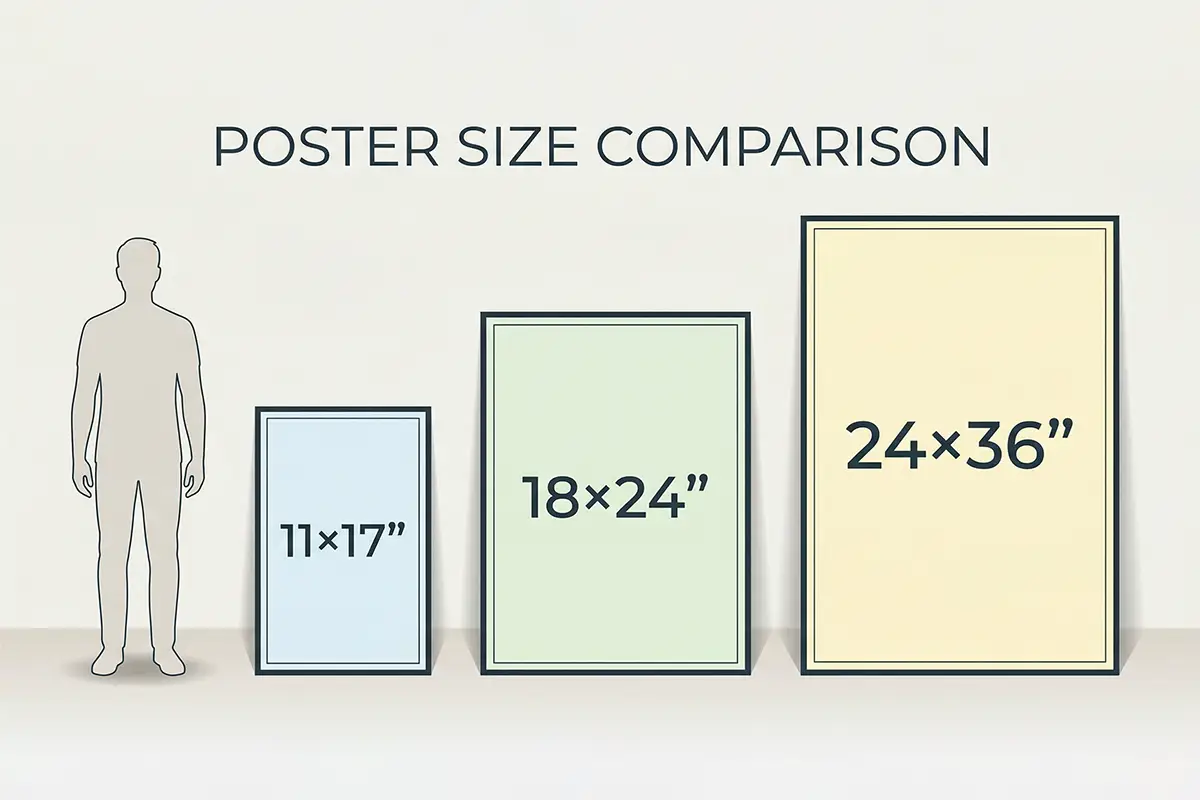
Small-Format Posters (Up to 18×24 inches)
Small-format posters are the workhorses of the printing world. They’re affordable, easy to mail, and can usually be printed on a decent office-grade large-format printer without paying commercial printing rates.
11×17 inches (Tabloid / B-size)
This is the smallest size most people still call a “poster” rather than a flyer. It’s widely used for movie schedules, band gig announcements, restaurant menus in window displays, and school project boards. One genuinely useful thing about 11×17: it’s double the size of a standard Letter sheet, so it tiles cleanly. Fold it once and you have an A4-adjacent handout. Standard frames are everywhere for this size, and it’s cheap to print — most office supply stores will do a color run for under $2 a sheet.
12×18 inches
Not as universally stocked as 11×17, but it’s a fan favourite in art print communities. The slightly roomier proportions give photographers and illustrators a bit more visual breathing room. If you’re printing fine-art reproductions or photography prints you want to mat and frame, 12×18 with a white mat inside a 16×20 frame is a classic, clean-looking combination.
18×24 inches
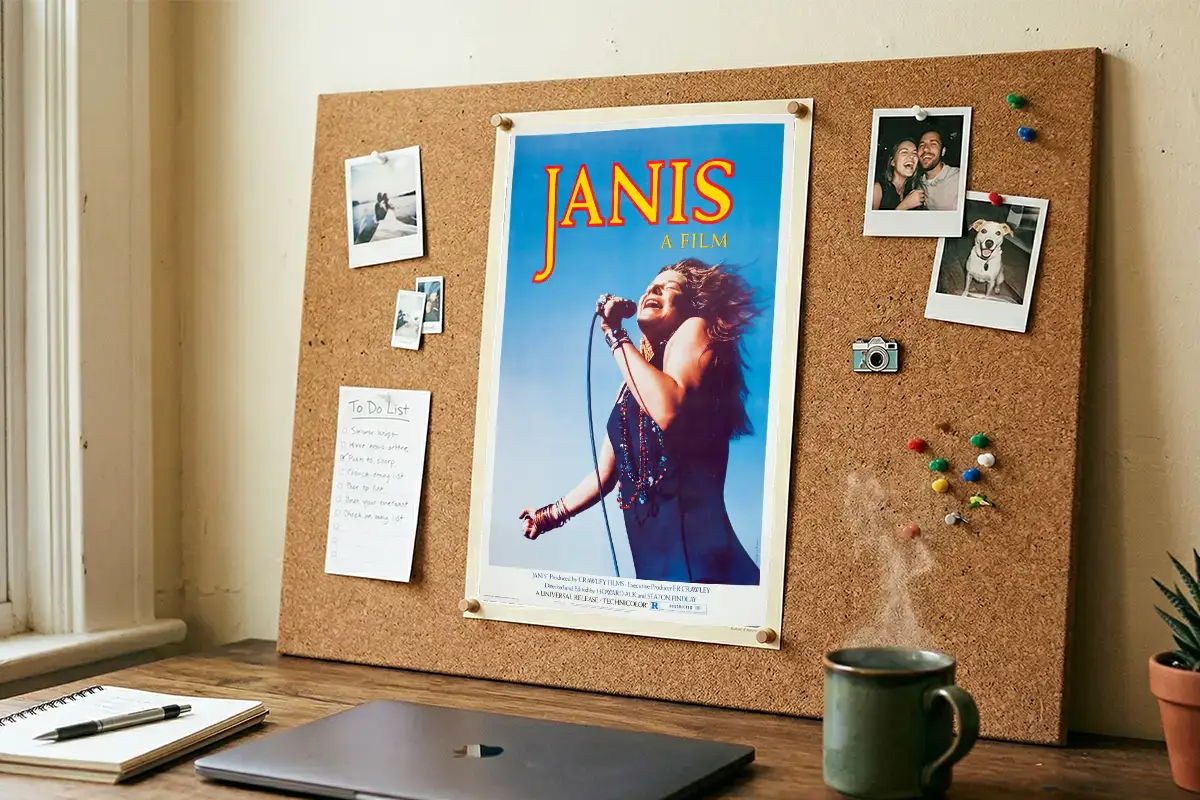
The academic event poster. If you’ve ever attended a university research conference and seen rows of posters on easels, most of them were 18×24 or A1 (which is close in dimension). It’s also a popular size for vintage-style decorative posters and exhibition posters. Frames are easy to find, printing is affordable, and at arms’ length the resolution requirements are forgiving enough that you don’t need an enormous source file to get a sharp result.
“For interior wall art, the 18×24 sweet spot works beautifully in rooms where a full 24×36 would feel overwhelming — think hallways, bathrooms, home offices, and kids’ rooms. It gives you poster-level impact without swallowing the wall.”
— MerchFuse Print Design Team, 10+ years in custom poster production
Large-Format Posters (24×36 inches and Beyond)
Once you cross the 18×24 threshold, you’re firmly in large-format territory. These sizes make a real visual statement — they’re the ones that fill a wall, anchor a room, or stop foot traffic at an event.
24×36 inches — The Standard Poster Size
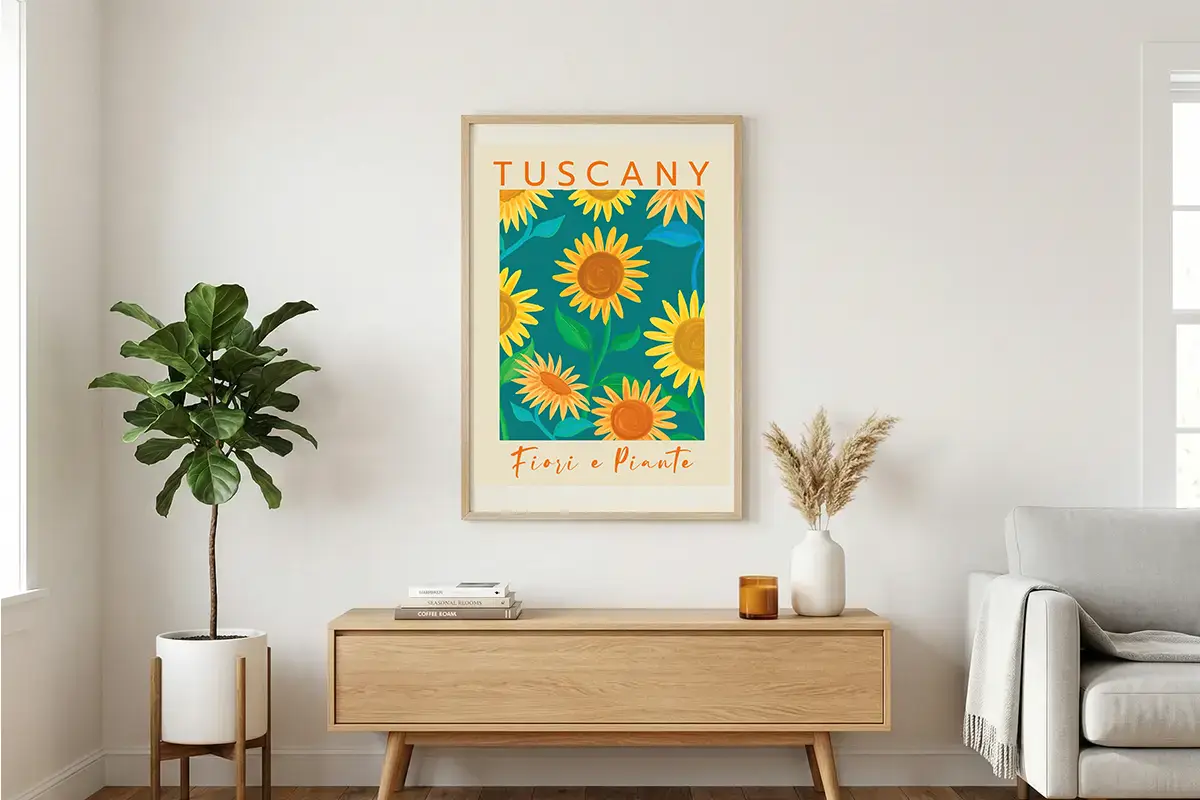
This is the size most people picture when they hear “poster.” Movie studios use it. Concert promoters use it. The student crashing out in their dorm room with a band poster on their wall almost certainly has a 24×36. It’s the size that defines the category, and it has an outsized grip on public imagination that’s unlikely to change anytime soon. Frames are stocked everywhere from big-box stores to independent art shops. Printing is competitive and you can shop around for good rates easily. If you’re looking for wall art in this format, our best sellers collection features the most popular 24×36 prints.
27×40 inches — The Movie One-Sheet
Technically a specific format from the film industry, this “one-sheet” is the size used for US theatrical release posters. The proportions are slightly taller and narrower than 24×36, which gives blockbuster posters that distinctive portrait feel. If you’re specifically looking for cinema-quality prints in this format, browse our full movie posters collection. Unless you’re replicating a cinema aesthetic, most designers skip this size — frames are harder to source and the odd proportions can make non-film artwork feel uncomfortable.
24×48 inches and 36×48 inches
At this scale, you’re drifting into banner territory. These sizes work well for trade shows, retail displays, outdoor events, and anywhere the viewer is more than a few feet away. One thing worth knowing: the further people stand from a print, the lower the DPI you can get away with — 100 DPI at 36×48 will look perfectly sharp from across a room.
24×36″ — The single most ordered poster size in the US print market. (Based on industry order data from large-format print suppliers, 2024)
International (ISO) Poster Sizes Explained
Outside North America, the ISO 216 standard governs paper — and by extension, poster — sizes. The system is logical once you understand the underlying math: each A-size is exactly half the one above it, with the same aspect ratio maintained throughout. That predictability makes it genuinely useful for print workflows.
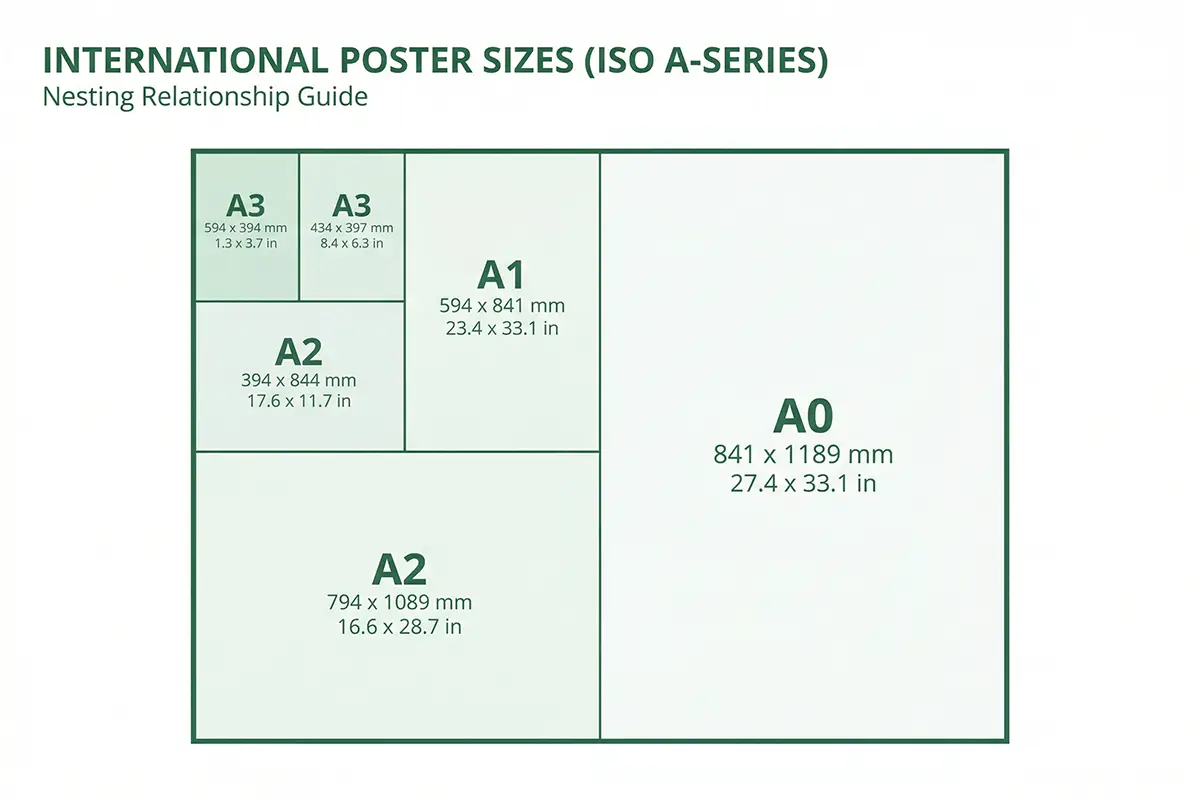
A0 (33.1×46.8 inches / 841×1189mm)
Massive. Used for large indoor advertising, exhibition panels, and architectural drawings. Not common for decorative posters, but you’ll encounter it in professional print environments.
A1 (23.4×33.1 inches / 594×841mm)
The international equivalent of a large US poster. It’s close to 24×36 in feel, though a bit narrower and taller. Event promoters across Europe, Australia, and Asia default to this size the way North Americans default to 24×36.
A2 (16.5×23.4 inches / 420×594mm)
Roughly equivalent to 18×24. Great for event posters, presentation graphics, and educational displays. A standard A2 frame is stocked in most European home-goods stores.
A3 (11.7×16.5 inches / 297×420mm)
This sits between a large document and a small poster. Most people use it for charts, infographics, and educational materials rather than wall art. Many office printers can handle A3 without specialist equipment, which makes it handy.
Quick Note for International Orders: If you’re ordering from a US-based print shop and your design was built to A-size dimensions, always double-check whether the printer will scale to fit or trim to exact spec. A1 and 24×36 are close but not identical — the aspect ratios differ slightly, and scaling to fill can crop your design unexpectedly.
Poster Size Guide: Quick Reference Comparison Table
Here’s every major poster size in one place — dimensions in both inches and millimetres, along with common use cases and frame availability. Bookmark this section of the poster size guide for quick reference.
How to Pick the Right Poster Size for Your Project
No poster size guide is complete without a decision framework. There are four things worth thinking through before you lock in a size — and skipping any one of them is how people end up with regrets at the print shop counter.
1. Where will this poster actually live?
Measure the space first. Not roughly — actually measure it. A 24×36 poster on a wall with only 30 inches of horizontal space is going to look cramped and forced. Conversely, a 12×18 piece on a ten-foot gallery wall can disappear entirely. A useful rule of thumb: the poster should fill roughly 60–75% of the wall space you’re allocating to it.
2. Will it need a frame?
Standard frames come in standard sizes. This sounds obvious, but you’d be surprised how often people design to non-standard dimensions and then face a choice between a custom frame job (expensive) or having the artwork matted down to fit a standard opening. If framing is part of the plan, start with the frame size and design to it — not the other way around.
3. What’s your printing setup?
If you’re printing at home or at an office, you’re limited to whatever your printer can handle — usually up to 13×19 or 17×22 with a wide-format inkjet. Going larger means a commercial print shop, an online service, or a large-format bureau. Know your options before committing to a size that’s going to require a specialist.
4. What’s the viewing distance?
A poster in a narrow corridor is read from two feet away. A trade-show backdrop is seen from twenty feet. The viewing distance directly affects the minimum resolution you need — and therefore the size of your source files. Smaller viewing distance demands higher DPI. It’s worth thinking about before you size up for no reason.
When 24×36 Works Best
- Standard bedroom or living room wall
- Movie, music, or entertainment themed art
- You want easy off-the-shelf framing
- Single statement piece for a medium-sized wall
- Gallery print you’re mailing to a customer
When 24×36 is the Wrong Choice
- Small spaces — hallways, powder rooms, offices
- Gallery walls (mix of smaller prints works better)
- Budget is tight — smaller means cheaper to print and ship
- International audience — A1 is a closer fit
- Needs to be mailed in a standard poster tube cheaply
Poster Resolution and File Setup Guide
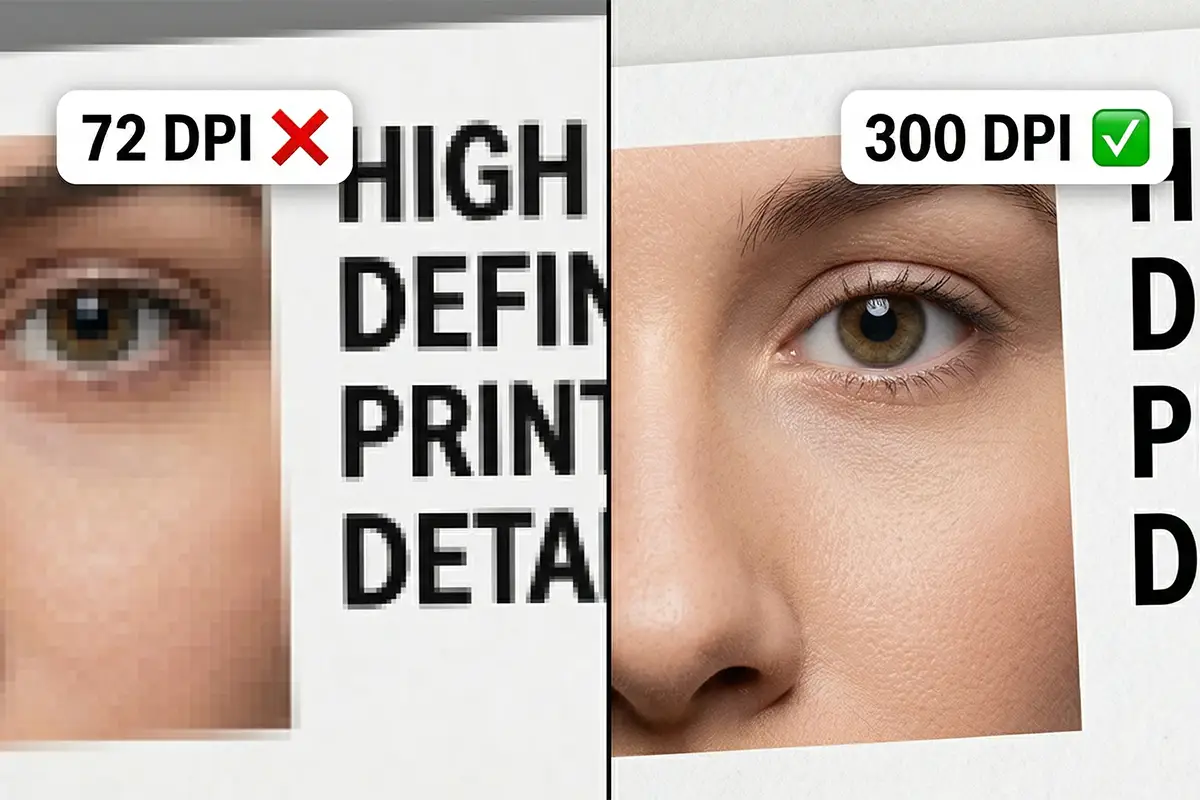
Any practical poster size guide has to cover resolution — it’s the single most common source of disappointment in poster printing. Someone works for hours on a design, sends it to the printer, and gets back something soft and slightly blurry that doesn’t look anything like what they saw on screen. Usually, it’s a DPI problem that could have been caught in five minutes at the file-creation stage.
The DPI Numbers You Need to Know
300 DPI — The gold standard for anything viewed at arm’s length or closer. Photography, fine-detail illustrations, text-heavy designs. Always use 300 DPI for 11×17 and 18×24 posters.
150 DPI — Acceptable for medium-large prints (24×36) where the viewer typically stands a few feet back. You can often get away with 150 DPI for photography-based posters at this size without visible quality loss in practice.
72–100 DPI — Fine for large-format prints (36-inch and up) that are viewed from across a room. Trade show displays, window graphics, and event backdrops all fall into this category. Demanding 300 DPI at 48×72 inches would mean working with a file over 200 megapixels — completely impractical.
⚠️ The Resolution Trap to Avoid: Changing the DPI setting on an existing image without resampling doesn’t add detail — it just changes how the printer interprets the file dimensions. A 72 DPI web image at 800×600 pixels won’t become a sharp poster by bumping the resolution setting to 300. You need actual pixel data. Always check your pixel dimensions against the target print size at 300 DPI before you start designing.
Setting Up Your Print File Correctly
- Colour mode: Use CMYK for print — not RGB. What you see on an RGB monitor isn’t what you’ll get on a CMYK press. Some online printers will convert automatically, but the results are usually better when you control the conversion yourself in design software.
- Bleed: Add 0.125 inches (3mm) bleed on all four edges. Printers cut with a slight margin of variance, and without bleed you risk white strips appearing at the edges of your poster.
- Safe zone: Keep all important content (text, logos, faces) at least 0.25 inches from the trim edge.
- File format: PDF (print-ready) is the universal preference for print shops. Flatten layers and embed fonts before exporting.
“The quickest way to check if your file is print-ready: open the PDF in Acrobat, zoom to 100%, and look at the sharpest fine text in your design. If it looks slightly fuzzy on screen at 100% view, it’ll look fuzzy on the print. Fix it at the source before sending to the printer.”
— MerchFuse Pre-Press Team
Framing and Mounting Tips for Every Poster Size
The print is only half the job. How you frame or mount a poster changes everything — the way it reads from across a room, whether it looks premium or cheap, and how long it lasts before fading or warping.

Off-the-Shelf Frames: What’s Actually in Stock
Walk into any large home goods retailer and the frames you’ll reliably find in standard poster sizes are: 11×17, 18×24, and 24×36. That’s it. Anything else means either special-ordering from the manufacturer, buying a larger standard frame and adding a mat board, or going to a custom framing shop.
One practical trick: if your poster is non-standard but close to a standard size, a mat board can bridge the gap elegantly. A 20×28 print in a 24×36 frame with a white mat around it often looks more intentional and professional than the same print in a frame that fits exactly. This approach works especially well for vintage movie posters where the original print dimensions don’t always match modern frame sizes.
Frameless Mounting Options for Posters
Not every poster wants a frame. A lot of the most striking wall setups use frameless mounting, especially for large pieces. Here are the main options:
- Foamcore mounting — Glue or dry-mount the poster to a foamcore board. Inexpensive, clean, and lays completely flat. Not ideal for humid environments (the edges can warp over time).
- Canvas wrapping — Increasingly popular for fine-art prints. The poster is printed directly on canvas and stretched over a wooden frame. It reads like a painting rather than a poster, which suits some settings perfectly and looks completely out of place in others.
- Magnetic poster hangers — Two wooden or metal rails, one at the top and one at the bottom. The poster is sandwiched between them. Very clean, very Scandinavian, and works beautifully for posters you want to change out regularly. Best for 18×24 and under.
- Command strips or poster mounting tape — Cheap and renter-friendly. Fine for casual display. Not great for archival purposes or anything you care about long-term.
Common Poster Sizing Mistakes and How to Avoid Them
Most sizing mistakes are avoidable with a little advance planning. Consider this section the troubleshooting chapter of this poster size guide. Here are the ones we see most often.
Designing at Screen Resolution Instead of Print Resolution
Screen-native files are 72–96 DPI. Print needs 150–300. If you build your poster in a web design tool without explicitly setting the canvas to print dimensions at print resolution, you’ll get a low-resolution file that looks fine on screen and terrible on paper. Always set up your canvas at the final print size in inches and 300 DPI before adding a single element.
Ignoring Bleed and Safe Zones
This is probably the most common reason for reprints. Add your bleed before you start, not after. Trying to extend a design to add bleed post-production is messy, often impossible with photography, and a waste of time you could avoid entirely by setting it up correctly on day one.
Picking a Size Because It Sounds Big
Bigger isn’t always better. A 36×48 poster in a 10×12 bedroom isn’t impressive — it’s suffocating. And you’ll pay three to four times as much to print it as a 24×36. Match the size to the space and the purpose. A well-chosen 18×24 in the right spot will have more impact than an oversized print that’s clearly too much for the room.
Not Accounting for the Frame Rebate
Standard frames typically have a small rebate — they overlap the edges of the image by about 0.25 inches on each side. This means your poster’s edges will be hidden. If you have critical content close to the edge (a border design, a signature, a barcode, a QR code), it may be obscured. Always check the exact opening size of your chosen frame and adjust your safe zone accordingly.
Mixing Inches and Millimetres Mid-Design
This catches people using international design tools while ordering from a US printer. Build your entire document in one unit system and verify the final dimensions explicitly before exporting. A lot of PDF viewers will happily show you the document dimensions in whatever units the app defaults to — which may not match what your printer expects.
Frequently Asked Questions About Poster Sizes
What is the most common standard poster size?
According to every major poster size guide and industry data, the most common standard poster size in the US is 24×36 inches. It’s the go-to for movie posters, concert prints, and bedroom wall art. That said, 18×24 is a close second — especially popular for academic and event posters because it prints cleanly without needing a large-format printer.
What size poster fits a standard frame?
The sizes that fit off-the-shelf frames most easily are 11×17, 18×24, and 24×36 inches. These are stocked at most major retailers. If you’re buying a poster first, bring the exact dimensions to a framing store rather than guessing — even 1 inch off means a custom frame job.
What is the difference between A1, A2, and A3 poster sizes?
These are ISO metric sizes used internationally. A1 is 23.4×33.1 inches (594×841mm) — large, typically used for indoor advertising and events. A2 is 16.5×23.4 inches — a popular size for presentations and events. A3 is 11.7×16.5 inches, closer to a large document than a traditional poster. Each size in the series is exactly half the area of the one above it.
What resolution do I need for a poster print?
For sharp poster printing, aim for 150–300 DPI at the final print size. A 24×36 poster at 300 DPI means your file needs to be 7200×10800 pixels — a large file, but manageable in Photoshop or Illustrator. For large-format prints viewed from a distance (trade show banners, outdoor signage), 72–100 DPI is often sufficient and keeps file sizes practical.
Can I print a custom poster size?
Yes — most professional print shops, including online services, accept custom dimensions. Just be aware that non-standard sizes often cost more because they create paper waste on the press. Sticking to standard sizes usually saves money and makes framing much easier.
What poster size is best for a bedroom wall?
For a standard bedroom, 24×36 inches is the sweet spot — large enough to make a statement but not so big it overwhelms the room. If you’re decorating a smaller wall or creating a gallery arrangement, 18×24 or even 12×18 prints work really well, especially when mixed at different sizes in a grouped display.
What’s the difference between a poster and a fine art print?
Technically, any large printed piece is a “print” — “poster” usually implies mass production on uncoated or satin paper for display purposes. In practice, the terms overlap heavily. When designers say “fine art print,” they often mean a limited-edition piece on high-quality paper (like Hahnemühle or Canson), whereas “poster” implies a more commercial, mass-produced product. The size range is the same — it’s really the paper, ink quality, and edition size that distinguishes them.
Choosing the Right Poster Size: Final Recommendations
That wraps up our complete poster size guide. Poster sizing isn’t complicated once you know the landscape. The key thing is to approach the decision in the right order: start with the space, then the frame, then the design — not the other way around. Most headaches come from designing first and trying to make everything else fit afterwards.
Key Takeaways Recap
- 24×36 inches is the safe default for wall-display posters in the US market.
- 18×24 is the better choice for smaller spaces, events, and projects on a tighter budget.
- A1 and A2 are the international equivalents — use them if your audience or printer is outside North America.
- Always set up files at 300 DPI and with 0.125-inch bleed before designing.
- Match the size to the wall space — never assume bigger is better.
If you’re still not sure which size to go with, the honest answer is: pick 24×36, design in portrait orientation, and add bleed. That gets you the widest range of framing options, the most competitive printing prices, and the best chance of the final result looking exactly like what you pictured in your head.
Ready to see these sizes in action? Browse our best-selling posters to find the perfect print for your wall.